 sufle
sufle Discord
FaceTime SharePlay
On compatible Apple devices, a FaceTime session can share queue identities and coordinate playback. Each participant still needs their own provider access; media credentials are not passed around.
Move the music between your devices, follow a friend into a playlist, and decide what your listening shares.
Your account has one active playing device. Other signed-in devices can follow its track, position, play state and queue, then act as remotes for play/pause, seeking, skipping and supported queue edits.
Choose another available device in Play On to move playback there. The previous device pauses and the song continues on the selected device. The screenshots show One Way on Mac and iPhone, with the Mac selected as the iPhone’s playback destination.
Devices need to be open, signed in to the same account and reachable. Offline playback, radio, video and SharePlay have their own session rules; handoff is not simultaneous multi-room audio.
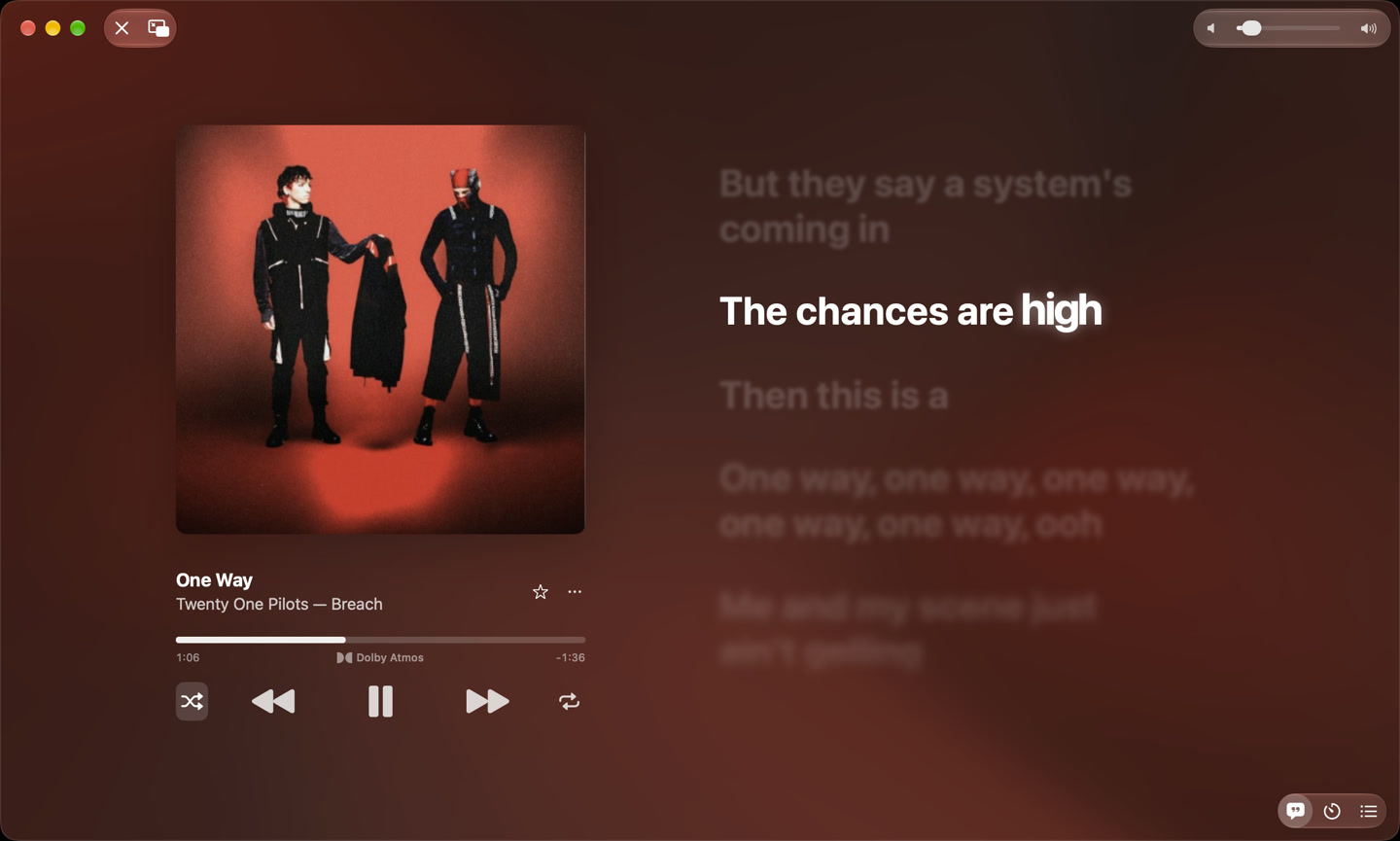
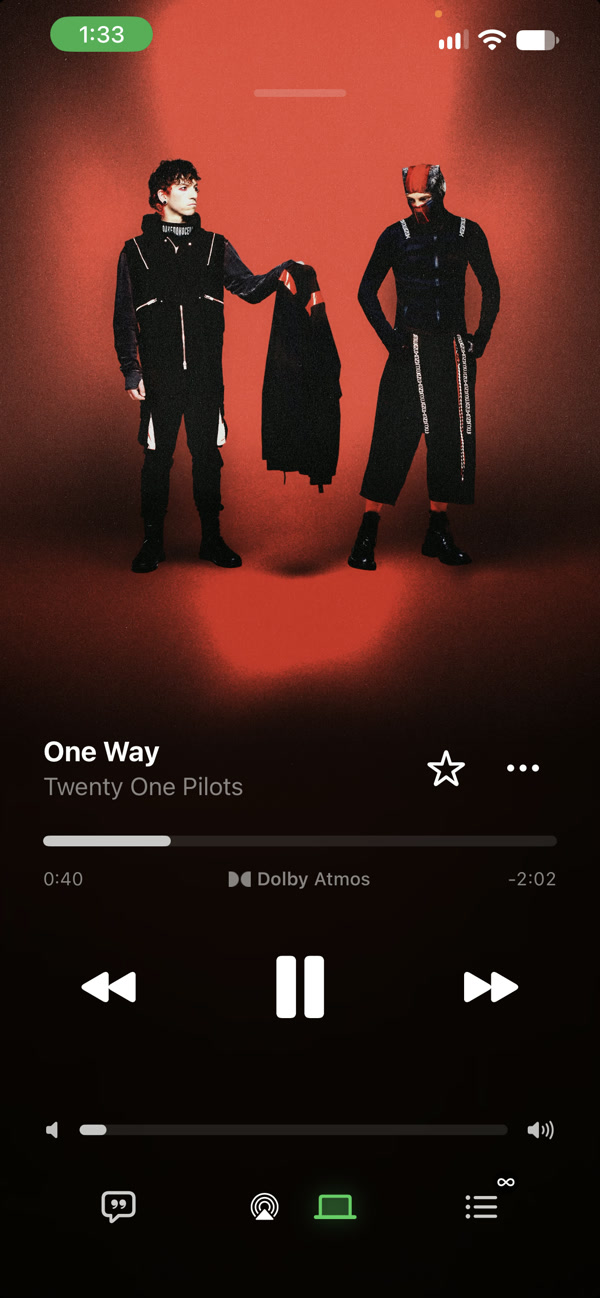
Real Mac and iPhone screenshots, captured at different playback positions. The green Mac indicator on iPhone shows the remote playback destination.
Keep Spotify connected for friend activity while using another service’s discovery or supported audio. Open a friend’s profile, explore their visible public playlists, and follow a listening context into its album or collection.
Provider profiles can expose supported followers, following and public collections. A friend’s playlist becomes another way to discover and play a song in Sufle, alongside search and recommendations. The app does not open private playlists just because you follow someone.
Social data depends on the provider and account. Spotify activity publication needs a supported, matched recording; it is not a guarantee that every source can publish every song.
The optional friend-activity integration uses spotify_monitor.


 cellophaneFKA twigsSüpürgesi YoncadanAltın Gün
Illustration with fictional profiles and a sample public playlist. Private playlists are not exposed.
Connect your own Discord account in Sufle Settings. Listening presence is designed to show the song, artist, album, public artwork and elapsed time for supported Sufle playback, including music from different providers.
Pause the music and the listening activity clears. Hide Discord activity controls Discord independently, while Ghost mode hides shared listening more broadly. You can disconnect the account when you no longer want it linked.
Requires server application configuration and a working Discord authorization/session. The illustration explains the implemented behavior; real account acceptance is separate and Discord compatibility can change.
 Digital Loveby Daft Punkon Discovery
Presence illustration. Requires a configured Sufle server and your own Discord account connection; service availability can vary.
Ghost mode records no listening history and hides shared listening activity. You can also hide the friend-activity view or use Discord’s own Hide control when you want a narrower change.
Each device has its own session. Add another using a pairing code, inspect signed-in devices, or revoke a device you no longer use. Connecting a provider stays personal to your Sufle account.
A little listening space, just for you.
On compatible Apple devices, a FaceTime session can share queue identities and coordinate playback. Each participant still needs their own provider access; media credentials are not passed around.
Enable qualifying listen submissions and recording feedback when you want them. Submission settings and discovery are separate parts of the connection.
Jam integration exists in the app code, but the presentation still treats it as upcoming until real session acceptance is complete. It is not presented here as a finished demonstration.
The iPhone and Mac share the core Swift app. The Linux companion has its own GTK interface and feature set.
| Experience | iPhone | Mac | Linux |
|---|---|---|---|
| Search, discovery, library & playlists | Yes | Yes | Yes |
| Playback, queue, lyrics & live radio | Yes | Yes | Yes |
| Sufle Connect & friend activity | Yes | Yes | Yes |
| Device downloads, video & native AutoMix | Supported paths | Supported paths | Not included |
| Platform extras | AirPlay, lock screen, SharePlay | Mini player, sidebar, menu commands | Desktop media keys / MPRIS |
Exact provider and media support still depends on the account, recording, device and connection. A connected server is required for account services.