 Dolby AtmosSkip spatial mixes
A library with structure
Keep saved songs, albums, artists and playlists together. Use recently added views, filter and sort long lists, and return to the collection behind a song.
Understand where music is stored, what can play offline, and how to keep large formats off a metered connection.
A device download keeps the audio close for offline listening. A server download stores a separate personal copy on your Sufle backend, ready for connected devices to request without starting preparation from scratch.
Songs, albums and playlists can be saved through the app’s download flows. Track transfer progress, cancellation and failures, and follow selected playlists with automatic server downloads as their contents change.
A server-only copy still needs a network connection to reach the device. Download to the device before relying on offline playback. Sample sizes in the illustration are not storage limits.
Server media preparation uses FFmpeg, with yt-dlp as a YouTube compatibility fallback.
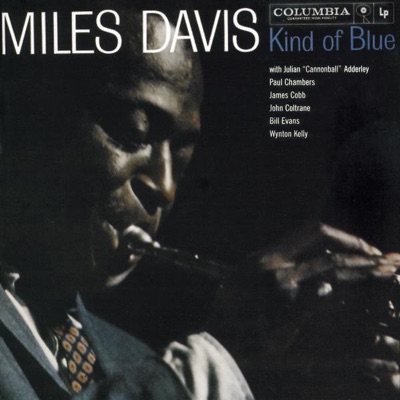 Kind of BlueMiles Davis · downloaded
 For Emma, Forever AgoBon Iver · downloaded
 MAGDALENEFKA twigs · server copy
 Con Todo El MundoKhruangbin · server copy
Example storage sizes. Device and server copies are managed independently.
The “On cellular data” settings let you disable formats on cellular, Personal Hotspot and Low Data Mode connections. For example, keep AAC available while skipping Lossless, Atmos and Vorbis on those networks.
Sufle then uses the next eligible format instead of preparing one you excluded. Wi-Fi follows the normal priority list. The policy belongs to each device, so your phone can be careful with data without changing the desktop’s choices.
This controls eligible formats, not a fixed number of megabytes. Source quality labels do not guarantee a small transfer: duration, transport encoding, artwork and other requests still affect data use.
Wi-Fi follows your normal format priority. These choices belong to this device.
Example preferences, not enforced defaults. File sizes vary; this is format control, not a fixed data allowance.
Import a provider playlist into Sufle, or link a local collection to a supported provider playlist. The first synchronization asks which version to use, and later conflicts can be reviewed before choosing a local or remote version.
Supported Spotify and YouTube playlist edits can synchronize in both directions. Apple Music supports adding tracks. Source permissions and mixed collections can restrict edits; a filtered archive is not used to overwrite unsupported source items.
Synchronization and edit support depend on the provider, playlist ownership and collection contents. A read-only source remains restricted.
 Spotify↔
 Your Sufle playlist
 YouTube Music

 Different frequenciesLinked collectionIN SYNCSpotifyTwo-way supported editsYouTube MusicTwo-way supported edits
 Apple MusicAdding tracks
Data Management shows device and server locations separately, with sizes, searchable song lists and individual or bulk cleanup. Temporary artwork, metadata and video caches can be maintained without confusing them with your library.
Removing a stored copy keeps the library song and playlist membership. It also keeps the copy in the other location. Applicable cleanup protects the selected audio; automatic playlist maintenance respects an explicit removal until you request the song again.
Keep saved songs, albums, artists and playlists together. Use recently added views, filter and sort long lists, and return to the collection behind a song.
Sufle can use available stored audio before preparing a new copy. Server reuse keeps account access and personal library ownership separate; it does not publish your private playlists.
The app provides scoped refetch and recovery controls for eligible audio, lyrics and artwork. Existing lyric alternatives are kept if a better replacement is unavailable.