 sufle
sufleA player worth
getting lost in.
Watch the words, the artwork, and the next song fall into place. Then go deeper into how Sufle chooses your audio.
Every word.
Every little syllable.
Sufle follows the song with synchronized lyrics. When a source provides word and syllable timestamps, the text fills progressively through the vocal phrase rather than lighting up a whole sentence at once.
Overlapping vocal parts keep their own timing. Translations and romanization appear when the lyric source supplies them. Tap a line in the app to jump to that moment, or nudge early or late lyrics with the timing control.
- Word, syllable, line-synced and plain-text lyric support
- Automatic lyric-source loading, with preferred versions replacing earlier results
- Available lyric documents and artwork can be kept for offline listening
Lyric coverage and timing detail depend on the recording and source. The animation cycles through three short excerpts. The lovely example uses the app’s supplied syllable timestamps; the other examples use illustrative timing.
Lyrics are supplied by LRCLIB and Unison, alongside other connected sources. Unison also supplies supported translations.
 Harder Better Faster StrongerDaft Punk
Work it harder,
make it better,
do it faster.
Three short lyric excerpts rotate automatically. Silent timing illustrations; the lovely excerpt retains the app’s supplied timestamps.
Hear how one song
meets the next.
AutoMix prepares a transition for a supported song pair. Available recording analysis can shape the overlap, timing, gain and supported effects, so a transition can do more than lower one volume slider and raise another.
The recording shows Calvin Harris and Rihanna’s This Is What You Came For moving into Calvin Harris and Dua Lipa’s One Kiss in Sufle on an iPhone. It plays automatically here; turn on Sound to hear the original handoff.
- Recording-specific transitions where analysis and effects are available
- A local fallback when the richer transition cannot be used
- Separate Autoplay and AutoMix controls in the app’s queue
Transition styles vary by song pair, platform and available analysis. Some native styles and rate effects remain incomplete; this example does not promise an identical transition for every pair.
 This Is What You Came ForCalvin Harris, RihannaOUTGOING
 One KissCalvin Harris, Dua LipaINCOMING
The transition happens automatically as the songs meet.
A continuous app recording, with original audio. The example shows one song pair; transition styles and availability vary.
Sometimes a cover
needs more room.
Square artwork keeps the familiar record-cover presentation. Supported tall live artwork opens that composition into a portrait view, giving moving artwork more of the player.
The surrounding backdrop picks up the artwork’s color and motion. A static image or blurred fallback keeps the player usable when animated artwork is missing or cannot load. Reduce Motion keeps the presentation calmer.
- Square and portrait artwork presentations
- Live artwork where the catalog supplies it
- Artwork-based player backgrounds and cached cover images
 Dolby Atmos
My Bad by Khalid, recorded in Sufle on iPhone. Square: a crop of the same live artwork in an adapted player layout.
Choose what matters.
See what is playing.
Set an ordered list of preferred audio formats and turn off formats you do not want. Playback and downloads have independent choices, so a saved collection does not have to follow the same priorities as a quick stream.
Keep at least one usable format enabled: turning them all off prevents new audio preparation. The player describes the supplied source quality. A lossless transport does not turn a lossy original into a lossless source. Spotify’s Vorbis source remains identified as Vorbis; YouTube uses AAC, and Apple availability depends on the recording and connected session.
- Lossless, Dolby Atmos, AAC and Spotify Vorbis preferences
- Independent provider and format choices for playback and downloads
- Skip unavailable or disabled sources instead of silently ignoring your choices
A supported file or displayed format badge is not a guarantee of a particular speaker, headphone or spatial output experience.
Start with what’s ready.
Improve it when possible.
For a foreground play, Sufle can prepare enabled providers together. The first ready audio can start the song while a slower provider continues working toward a format you ranked higher.
A later result replaces the current one only when it improves the chosen format ranking. The client keeps the same song position and lyric offset. Work that can no longer improve the result is cancelled. Equal or lower-ranked formats do not replace what is already playing.
- Precise recording matching before a source is accepted
- Same-position quality upgrades when eligible
- No upgrade switch during an AutoMix overlap or SharePlay session
The animation explains the sequence, not measured speed or a guaranteed source order. Prefetches and downloads use ordered preparation rather than the full foreground race.
 YouTube MusicPreparing
 Apple MusicPreparing
 SpotifyPreparing
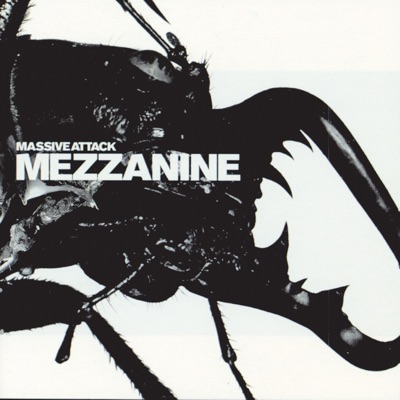 TeardropFinding a matching recordingPREPARING
The next song
is still your call.
Play a song next, add it to the queue, rearrange upcoming tracks, or remove and clear them. Your explicit queue, the rest of the current collection, and Autoplay suggestions keep their own place in Playing Next.
Shuffle, repeat, seek, background audio and system transport controls cover the everyday flow. On supported Apple devices, AirPlay sends the music to another output. The Mac adds a floating player, a full player, a mini player and menu commands; Linux integrates with desktop media controls.
- Full album and playlist continuation
- Artist and recording credits where metadata is available
- Music videos and live radio have their own playback context
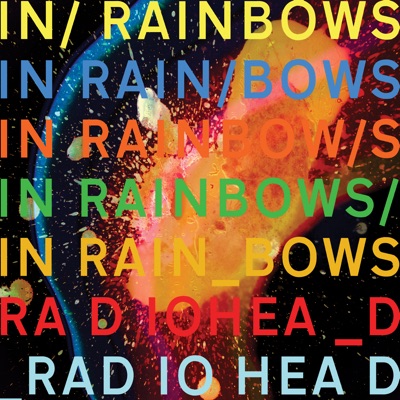 Weird Fishes / ArpeggiRadiohead
 RoadsPortishead☰TeardropMassive Attack☰
 La Femme d'argentAirSUGGESTED